Read receipts are a feature commonly found in messaging applications that allows users to see whether their sent messages have been read by the recipient. This functionality has transformed the way people communicate, adding a layer of accountability and immediacy to conversations. When a sender sees that their message has been marked as “read,” it can evoke a range of emotions, from satisfaction to anxiety, depending on the context of the conversation.
For instance, in a professional setting, receiving a read receipt can provide reassurance that an important message has been acknowledged, while in personal relationships, it may lead to feelings of impatience or frustration if the recipient does not respond promptly. The implementation of read receipts varies across different platforms. For example, WhatsApp displays two blue checkmarks next to a message once it has been read, while iMessage shows a “Read” label along with the time the message was opened.
This transparency can enhance communication but also introduces pressure; senders may feel compelled to respond quickly upon seeing that their message has been read. Additionally, some users may choose to disable read receipts to maintain a level of privacy or to avoid the obligation of responding immediately. This choice reflects a broader conversation about digital etiquette and the expectations that arise from these features.
Key Takeaways
- Read receipts allow you to see when your message has been read by the recipient, providing clarity on whether your message has been seen or not.
- Delivery reports confirm that your message has been successfully delivered to the recipient’s device, giving you peace of mind that your message has reached its intended destination.
- Typing indicators let you know when the other person is actively typing a response, giving you real-time insight into their engagement with the conversation.
- Last seen status shows you the last time the recipient was active on the messaging platform, helping you gauge their availability and responsiveness.
- Online status indicates when the recipient is currently active and available to engage in real-time communication, allowing you to reach out when they are most likely to respond.
Delivery Reports
Delivery reports serve as a notification mechanism that informs senders whether their messages have successfully reached the recipient’s device. Unlike read receipts, which indicate that a message has been opened, delivery reports simply confirm that the message was delivered to the recipient’s inbox. This feature is particularly useful in situations where immediate feedback is not necessary but knowing that the message has been sent and received is crucial.
For example, in business communications, a delivery report can assure a sender that important information has been transmitted, even if the recipient has not yet had the chance to read it. The mechanics behind delivery reports can vary significantly between different messaging platforms. Some applications provide a simple checkmark system—one checkmark for sent and two for delivered—while others may offer more detailed notifications.
In SMS messaging, for instance, delivery reports are often sent back to the sender’s device as a separate notification, indicating whether the message was successfully delivered to the recipient’s mobile network. This feature can be particularly beneficial in areas with poor connectivity, where senders may be concerned about whether their messages are getting through. However, it can also lead to misunderstandings; for example, if a sender receives a delivery report but the recipient does not respond, it may create confusion about whether the recipient is ignoring the message or simply has not seen it yet.
Typing Indicators
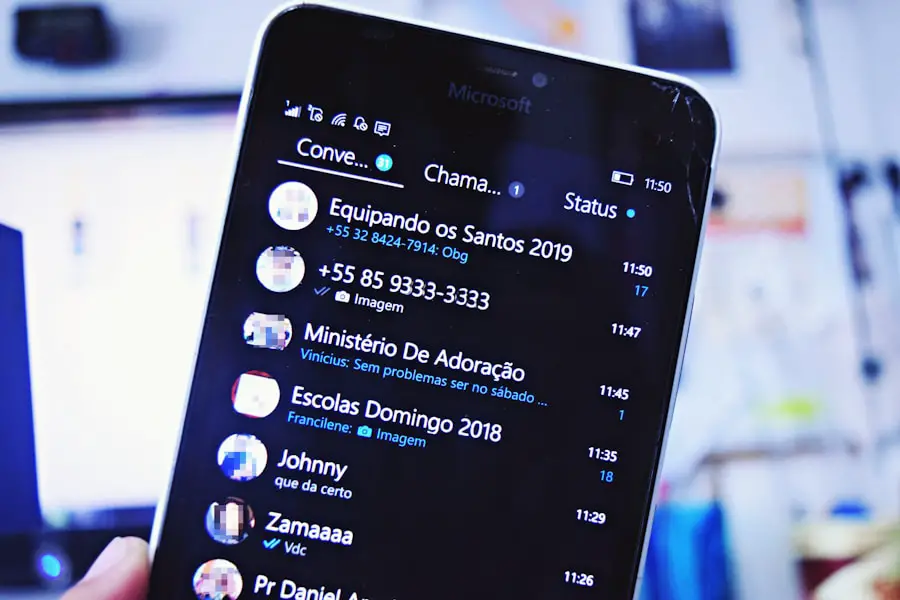
Typing indicators are another feature that enhances communication by providing real-time feedback about ongoing conversations. When a user sees an indicator—often represented by three animated dots or a similar visual cue—they know that the other person is actively composing a response. This feature can create a sense of engagement and anticipation, as senders are aware that their messages are being considered and responded to in real time.
In fast-paced conversations, typing indicators can help maintain the flow of dialogue and encourage users to stay engaged. However, typing indicators can also introduce pressure into conversations. For instance, if someone sees that their conversation partner is typing but then stops without sending a message, it can lead to speculation about what might have caused the interruption.
This phenomenon is particularly pronounced in personal relationships, where individuals may overanalyze the reasons behind a pause in communication. In professional settings, typing indicators can be beneficial for collaborative discussions but may also lead to misunderstandings if one party feels rushed to respond before fully articulating their thoughts. The balance between fostering engagement and creating pressure is delicate and varies based on individual preferences and communication styles.
Last Seen Status
| User ID | Last Seen Status |
|---|---|
| 001 | Active |
| 002 | Away |
| 003 | Offline |
| 004 | Active |
The last seen status feature allows users to see when their contacts were last active on a messaging platform. This information can provide context for ongoing conversations and help users gauge whether someone is likely available to chat. For example, if a sender notices that their contact was last seen just a few minutes ago, they might feel more inclined to reach out, knowing that the recipient is likely still engaged with their device.
Conversely, if someone sees that their contact hasn’t been active for several hours or days, they may choose to wait before sending a message. While last seen status can enhance communication by providing insights into availability, it also raises questions about privacy and boundaries. Some users may feel uncomfortable with others knowing their online activity and may choose to disable this feature for various reasons.
In certain cultures or social circles, sharing last seen information can be seen as intrusive or overly revealing. Messaging platforms like WhatsApp allow users to customize their last seen settings, enabling them to choose who can see this information—whether it be everyone, only contacts, or no one at all. This flexibility reflects an understanding of diverse user preferences and the need for control over personal information in digital interactions.
Online Status
Online status is another critical aspect of modern messaging applications that informs users about their contacts’ availability in real time. When someone is online, it indicates that they are currently active on the platform and potentially available for conversation. This feature can facilitate timely communication; for instance, if someone sees that a colleague is online during work hours, they might feel encouraged to initiate a discussion about an ongoing project or task.
The immediacy of online status can enhance collaboration and foster connections among users. However, online status can also lead to complications in social dynamics. The visibility of being online may create expectations for immediate responses, which can be stressful for some users who prefer asynchronous communication.
Additionally, there are instances where individuals may be online but unable or unwilling to engage in conversation due to various reasons—such as being busy with work or simply needing personal time. This discrepancy between online status and actual availability can lead to misunderstandings or feelings of neglect if one party expects immediate interaction while the other is preoccupied. Moreover, some messaging platforms allow users to customize their online status settings, providing options such as “Do Not Disturb” or “Away.” These features enable individuals to communicate their availability more effectively while maintaining control over how they engage with others.
The ability to manage online status reflects an evolving understanding of digital communication norms and the importance of respecting personal boundaries in an increasingly connected world. As users navigate these features, they must balance the benefits of real-time communication with the need for privacy and autonomy in their interactions.
If you’re curious about the privacy implications of tracking whether someone has read your text on Android, you may want to check out this article on AppsSoftwares.com. It delves into the importance of privacy policies and how they can protect your personal information when using messaging apps. Additionally, you can explore more tech-related articles on AppsSoftwares.com and learn about the terms and conditions that govern the use of these apps by visiting this page.
FAQs

What are some ways to tell if someone read your text on Android?
There are a few different methods you can use to determine if someone has read your text on an Android device. These include using read receipts, delivery reports, and third-party messaging apps.
What are read receipts and how do they work on Android?
Read receipts are notifications that let you know when someone has read your text message. On Android devices, read receipts are typically enabled within the messaging app settings. When the recipient reads the message, the sender will receive a notification indicating that the message has been read.
Can I use delivery reports to see if someone read my text on Android?
Delivery reports are similar to read receipts, but they only confirm that the message was delivered to the recipient’s device, not that it was actually read. Some Android messaging apps offer the option to request delivery reports, which can provide some insight into whether the message was successfully delivered.
Are there any third-party messaging apps that offer read receipts on Android?
Yes, there are several third-party messaging apps available for Android that offer read receipts as a feature. These apps often provide more advanced messaging options and customization settings compared to the default messaging app that comes with the device.
Is it possible to tell if someone read my text without using read receipts or delivery reports?
Without using read receipts or delivery reports, it can be difficult to definitively determine if someone has read your text on an Android device. However, some messaging apps may display indicators such as “seen” or “read” next to a message once it has been viewed by the recipient.
